Ethernet Redundancy
This section describes how to configure Ethernet Redundancy. Physical Ethernet Interfaces Redundancy balances traffic between multiple network interfaces that are connected to the same IP link and provides a failover mechanism.
When the operation is finished, the OVOC server automatically reboots for the changes to take effect.
|
➢
|
To configure Ethernet Redundancy: |
|
1.
|
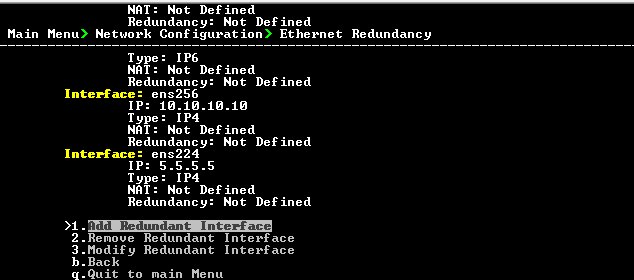
From the Network Configuration menu, choose Ethernet Redundancy option, and then press Enter. |
Ethernet Redundancy Configuration
|
2.
|
This menu includes the following options: |